Client Backend

Shopify Website

here is where your expertise as a client comes in !

So far we have created your site’s layout and currently working on design elements to finish up the look and feel. However, we need you to finish setting up some important backend things for Shopify which requires you entering your credit card information into Shopify to pay for your monthly hosting. I DO NOT AND WILL NOT ACCEPT YOUR CREDIT CARD INFORMATION TO INPUT IN TO SHOPIFY.

Do not freight, I have steps below to help you complete and please do not hesitate to give me a call  if you get stuck or need any assistance! 
To login to Shopify, click this link: https://accounts.shopify.com/store-login

You will need the following information to login

  1. Store Address: https://yourstorename.myshopify.com
  2. Email Address: your email you used to set up Shopify
  3. Your Password: 

Step 1

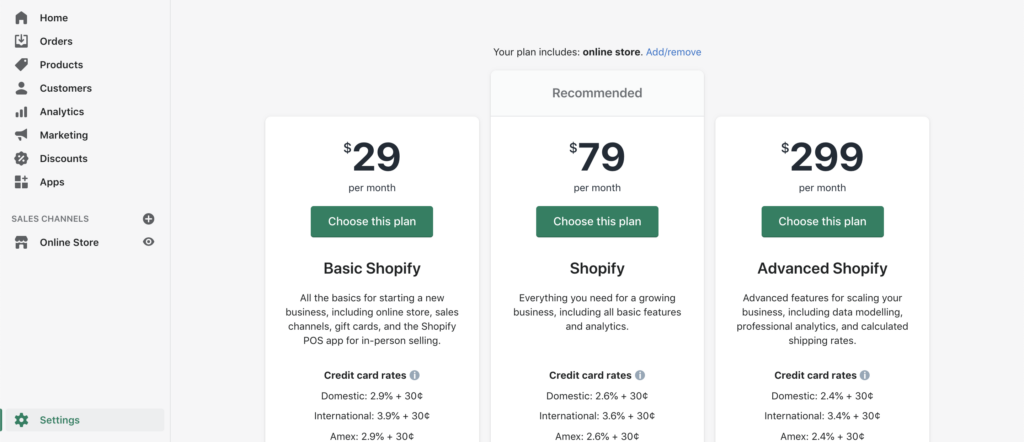
Pick a monthly hosting plan

  • Login to your Shopify Account
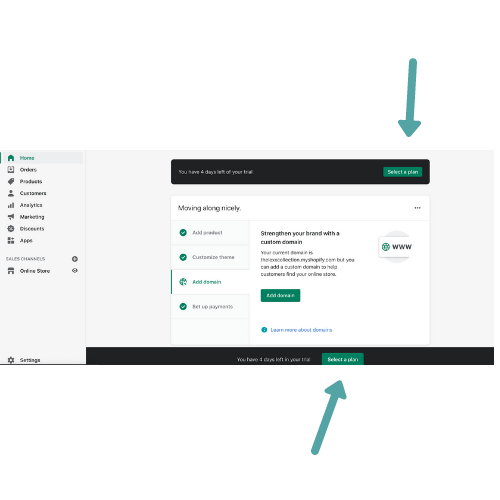
  • At the very top or bottom of the page you should see a button that says Select Plan
  • Once you get to that page choose the “Basic Plan” or whatever plan you feel is best. Complete Purchase
  • Complete Purchase

Step 2

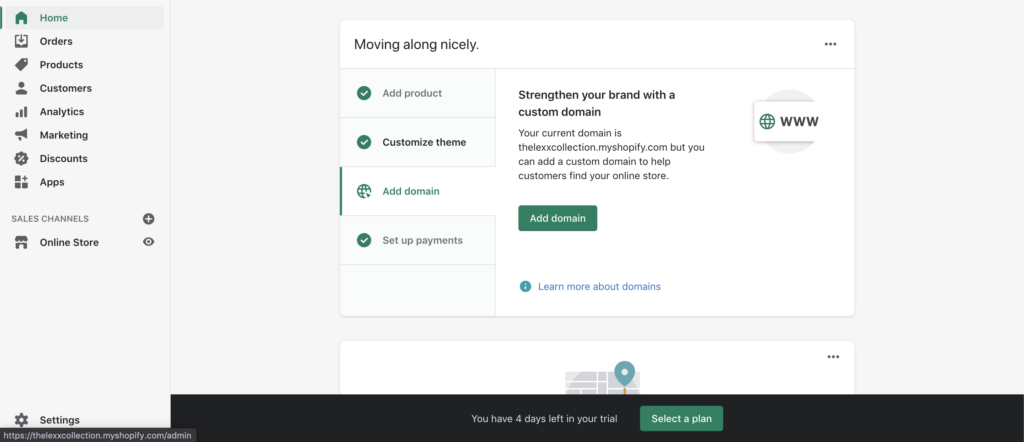
Purchase your official domain name

  • Login to your Shopify Account
  • On the front page you should see an option that says Add Domain
  • Select the button that says
    “Buy Domain”
  • Type in the official domain (yourbusinessname.com) and select buy.
  • Complete Purchase

Step 3

Set up how to collect your money

  • Login to your Shopify Account
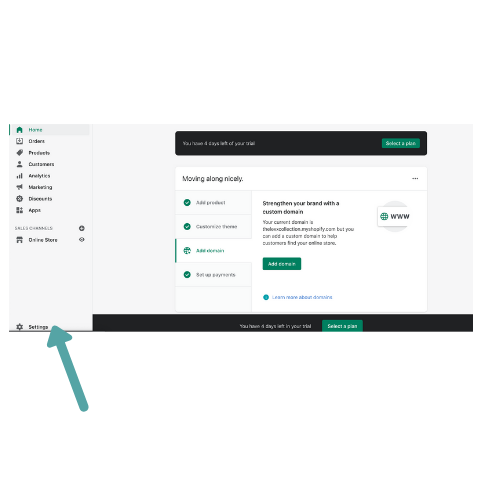
  • Look to the left hand-side and scroll all the way down to the very bottom until you see “SETTINGS”
  • Once you get to Settings page, select “Payments”
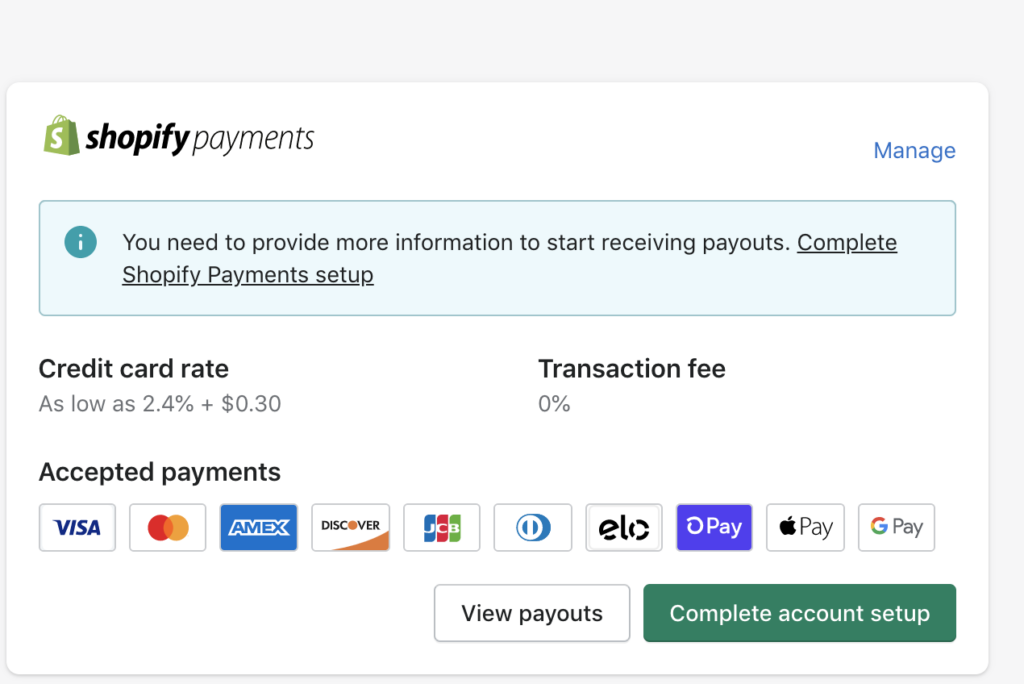
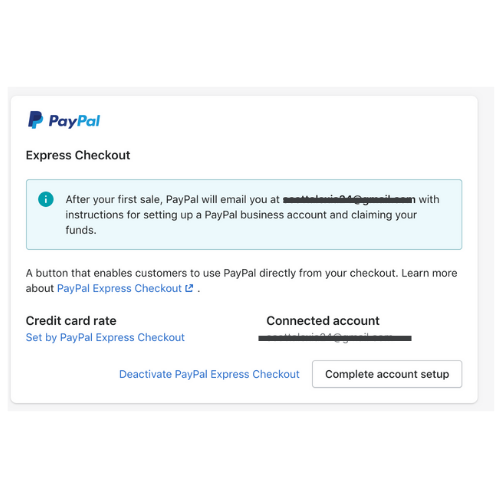
  • You can either set up your money to direct deposit into your bank account. If so, then you need to select the first option “Complete Account Setup”
  • If you want to use PayPal select the 2nd section option “Complete Account Set Up”

Call me if you need me!